Import recipes from WhatsApp
Importing
Keep the recipes friends send you, instead of scrolling back through the chat.
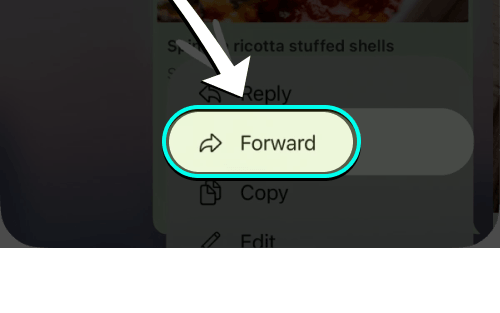
- Open message & tap forward
Press and hold the recipe message, then tap Forward.
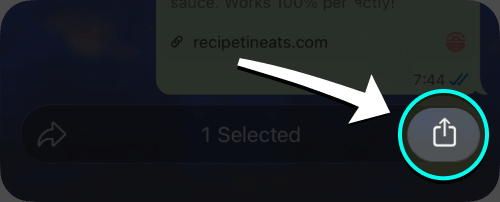
- Tap the share button
Tap the share button in the bottom bar to open the iPhone share menu.
- Choose iRecipes
Tap iRecipes in the share menu.

- Review & save
Check the ingredients and steps, make any edits, then save the recipe.
Good to know: if the recipe arrived as a photo, save the image first and import it from Photos. Links sent in a chat work like any other link — iRecipes opens the page behind them and reads the recipe.
 Instagram
  TikTok
  YouTube
  Facebook
  Pinterest
  WhatsApp
  Safari
  Chrome
 Got feedback?
If a forwarded recipe never imports correctly, send us the link and we will take a look.