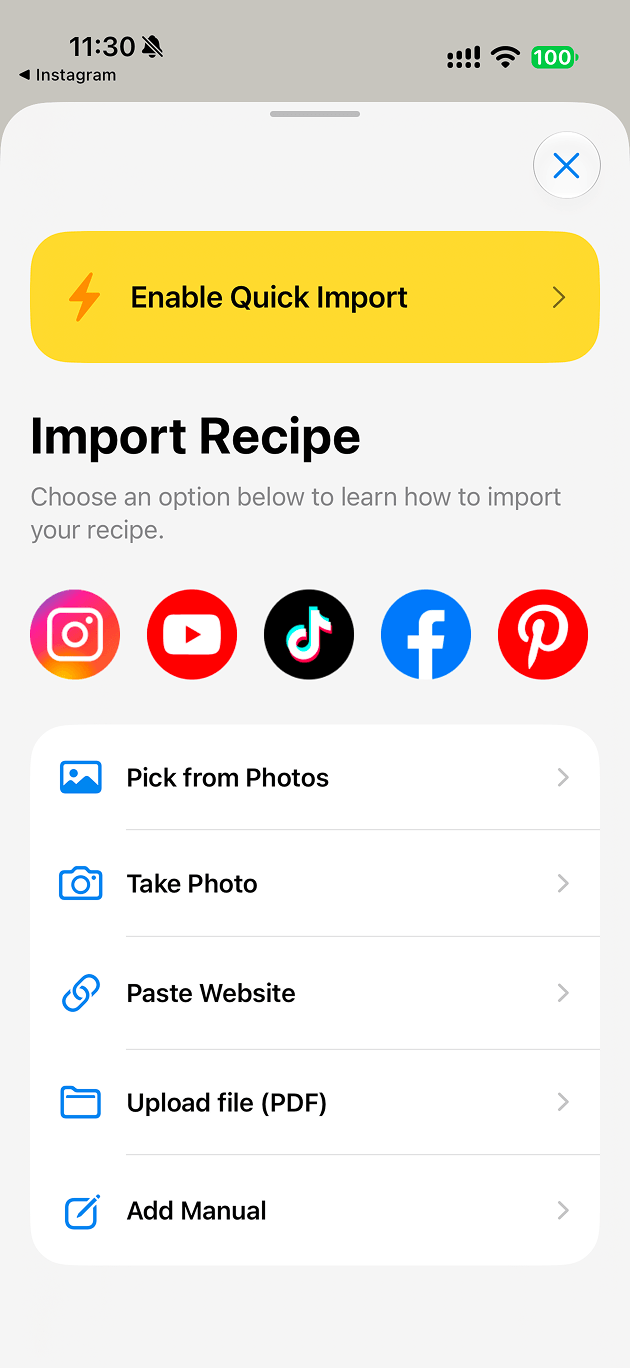
Import from anywhere
Share a link, a video, a screenshot or a cookbook photo to iRecipes and get a structured recipe back — ingredients grouped, steps in order, source kept.
Share a reel, a video, a blog post or a photo and iRecipes turns it into a clean recipe — ingredients, steps and nutrition — then walks you through cooking it, without the ads and the endless scrolling.
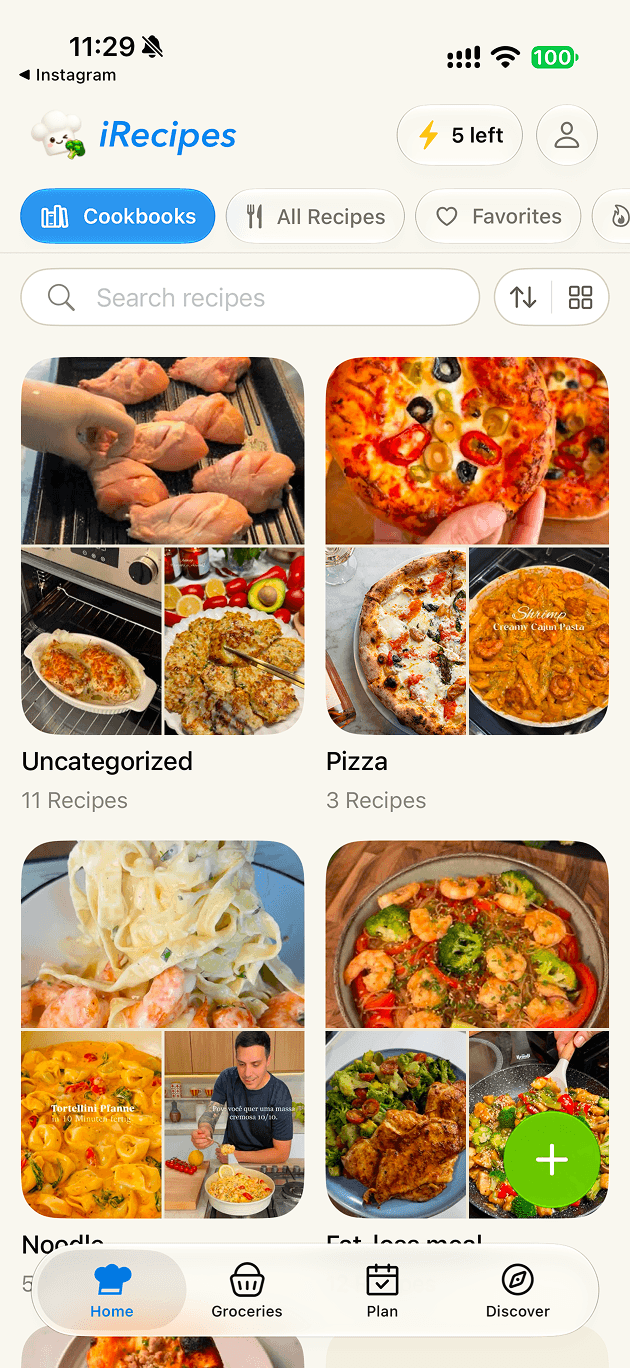
A quick look
See how iRecipes helps you import, organize and cook from one place.
Features
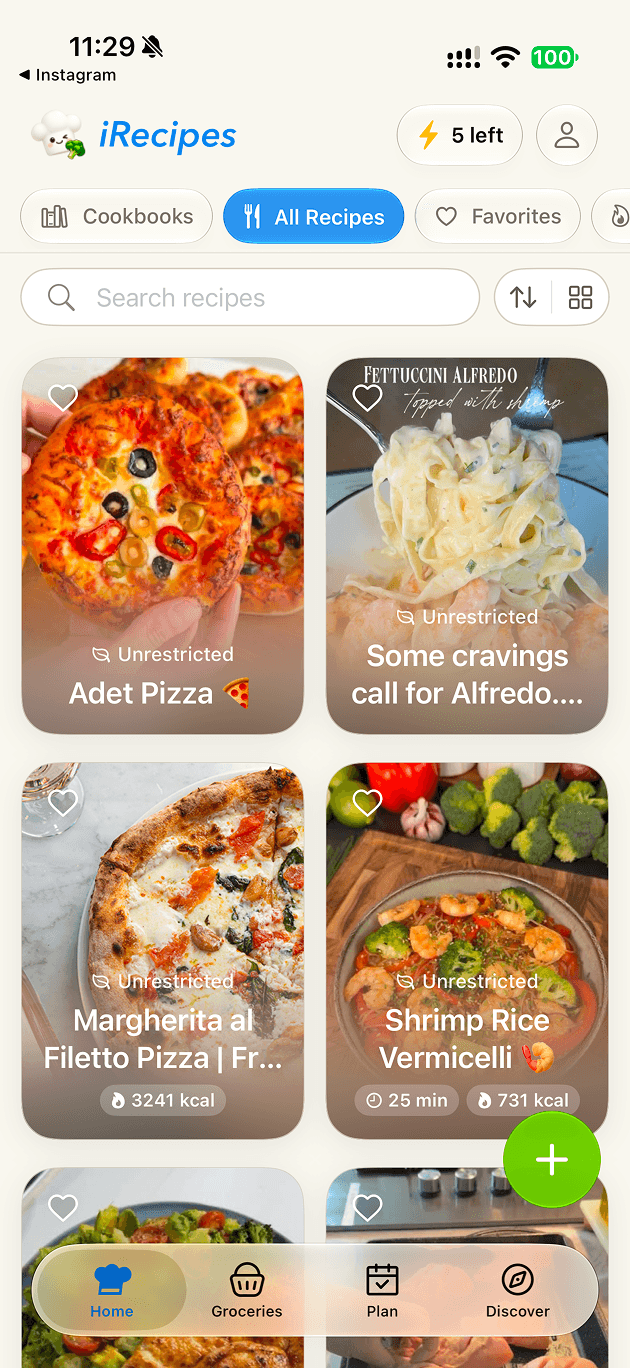
Everything you save ends up organized, searchable and ready to cook.
Share a link, a video, a screenshot or a cookbook photo to iRecipes and get a structured recipe back — ingredients grouped, steps in order, source kept.
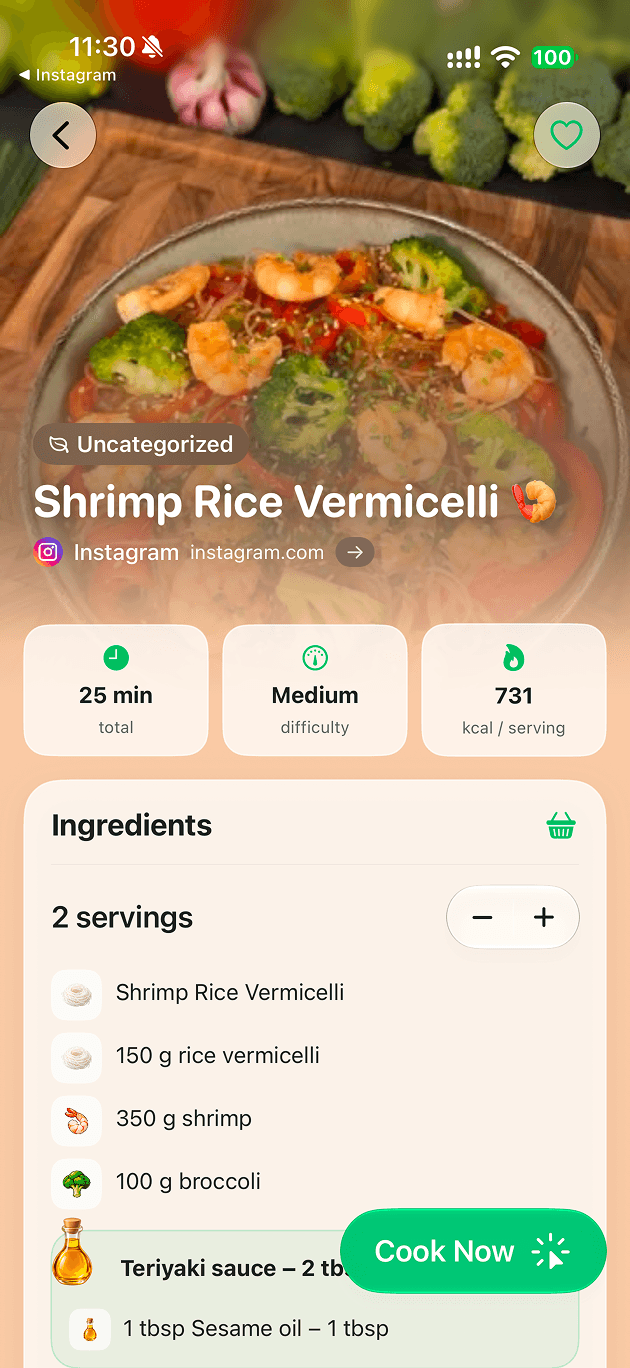
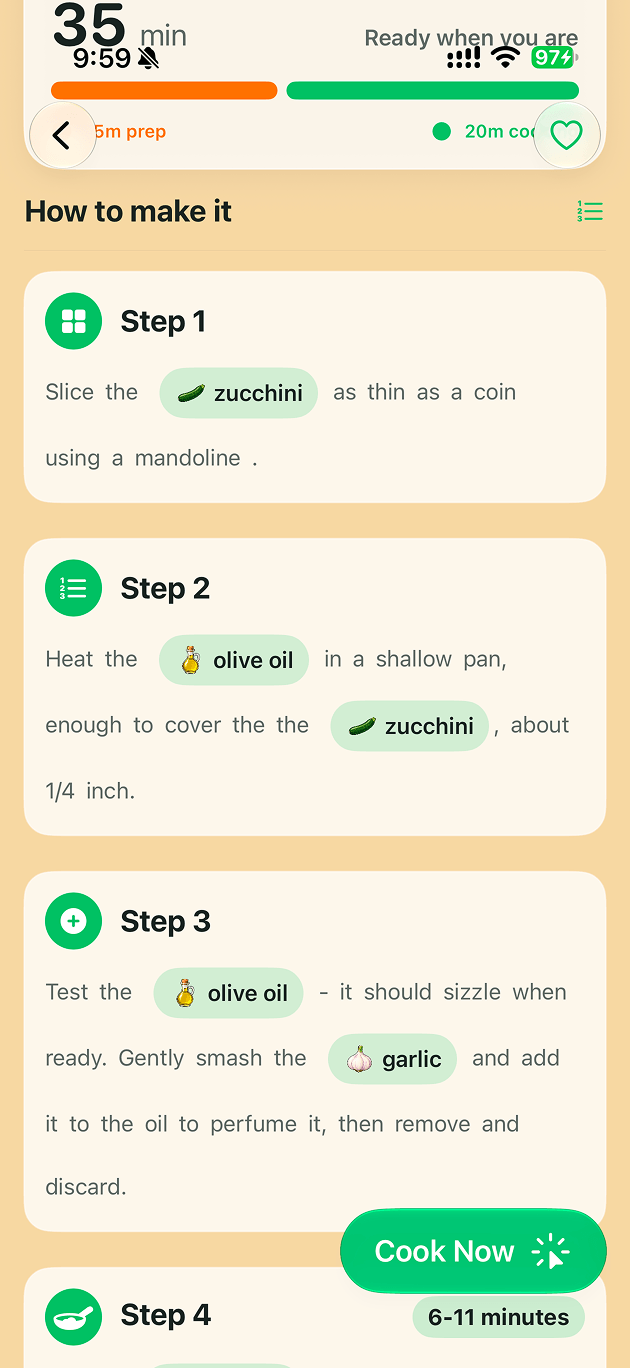
A distraction-free cooking mode with large steps, timers and your place kept — no pop-ups, no autoplay video, no life story before the recipe.
Group recipes into cookbooks, favorite the ones you love and search your whole library by title, ingredient or tag.
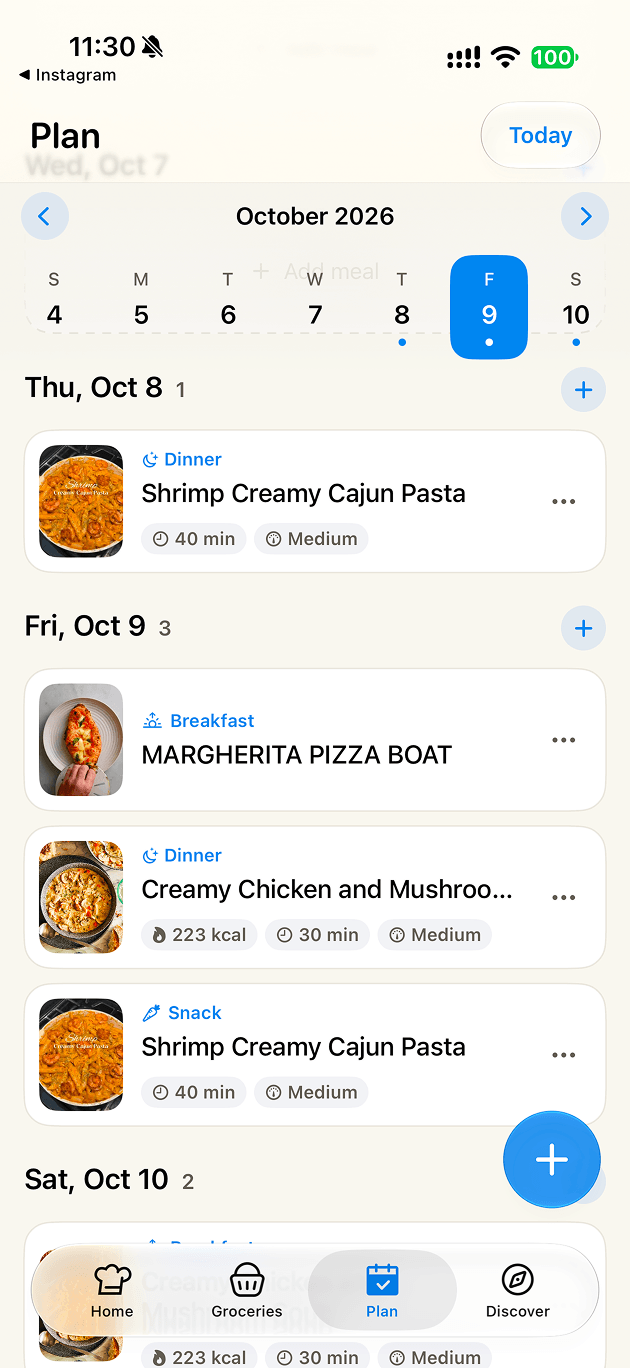
Plan breakfast, lunch and dinner on a calendar, then open any day and cook straight from the plan.
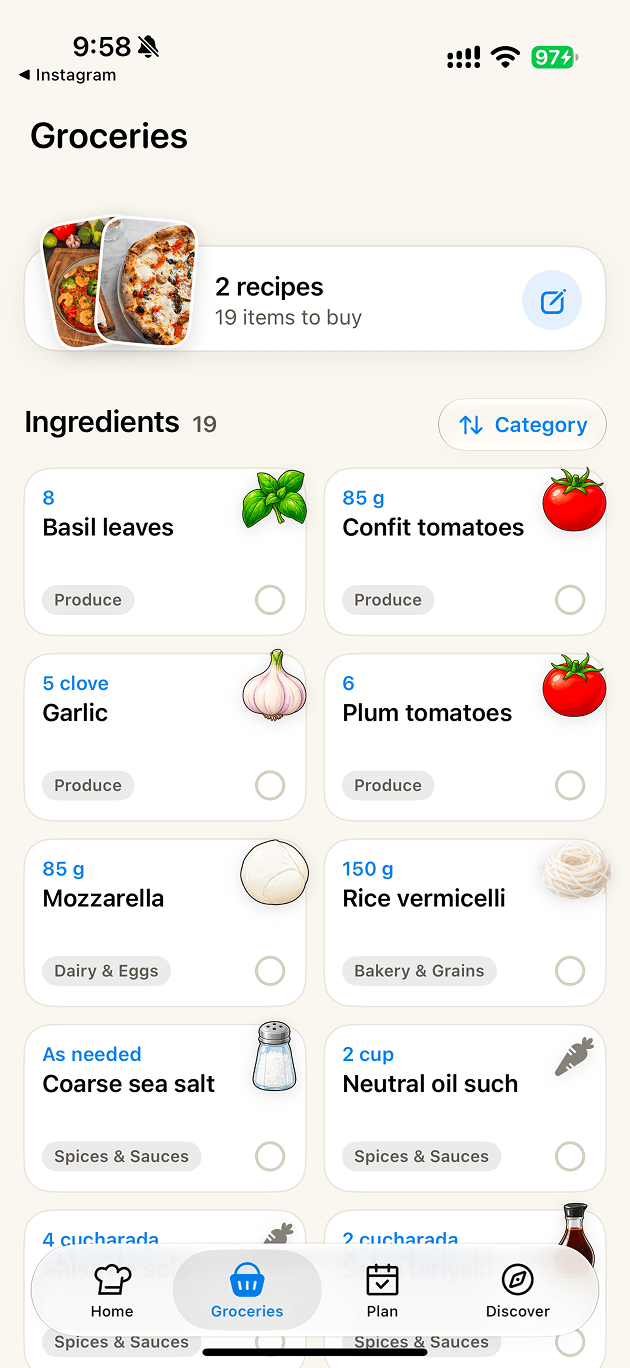
Add recipes to your list and iRecipes merges the ingredients automatically, scales them by servings and keeps what is already in your basket out of the way.
Calories, protein, carbs and fat per serving, plus dietary tags so you can see how a recipe fits before you commit to it.
How it works
Tap Share in Instagram, TikTok, YouTube, Pinterest, Safari or Photos, then pick iRecipes. Importing happens in the background.
The ingredients, steps, time and nutrition are extracted and tidied up. Review it, edit anything, and save it to a cookbook.
Follow the step-by-step mode, send the ingredients to your grocery list, and add it to your meal plan for the week.
Supported sources
Each source has a short guide in the Help Center with the exact taps for iPhone.
FAQ
You can download iRecipes and start importing right away, and new users get a free trial of the full experience. After the trial, iRecipes continues with a subscription — cancel any time from your Apple ID settings.
Instagram, TikTok, YouTube, Facebook, Pinterest, Safari, Chrome, any recipe website, photos and screenshots from your library, and cookbook pages you photograph. See the Help Center for step-by-step instructions.
No. Your recipes live in your library on your device, so you can start cooking without signing up for anything.
Send it to us through Feedback with the link and we will take a look. You can also edit any imported recipe by hand before saving it.
Get the app
iRecipes is made for iPhone. The App Store link goes here as soon as the release is live.
 Instagram
 TikTok
 YouTube
 Facebook
 Pinterest
 WhatsApp
 Safari
 Chrome