Import recipes from Pinterest
Importing
Turn a pin into a real recipe with ingredients, steps and nutrition.
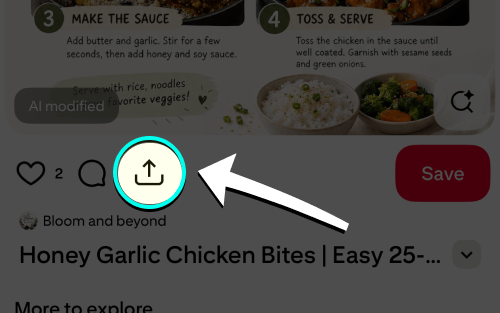
- Open pin & tap share
Tap Share on any recipe pin.
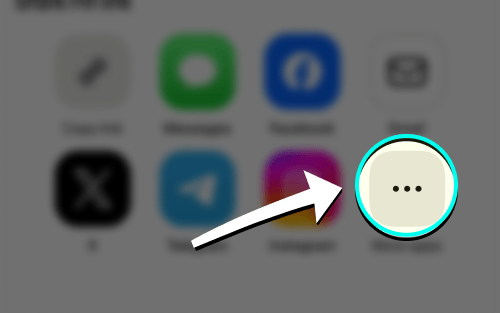
- Tap More if needed
Swipe the app row left and tap More if iRecipes is not visible.
- Choose iRecipes
Tap iRecipes in the share menu.

- Review & save
Check the ingredients and steps, make any edits, then save the recipe.
Good to know: most pins point to a blog post. If the pin itself has no recipe text, iRecipes follows the link and reads the article — if the result is thin, tap Visit site, open the post in Safari and import from there so the full page is available.
 Instagram
  TikTok
  YouTube
  Facebook
  Pinterest
  WhatsApp
  Safari
  Chrome
 Got feedback?
If a pin import keeps failing, send us the link and we will take a look.