Import recipes from Safari
Importing
The most reliable route for recipe blogs, magazines and restaurant pages.
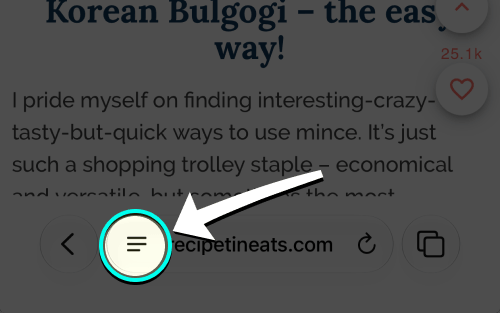
- Open recipe & tap •••
Tap the ••• button in Safari’s toolbar.
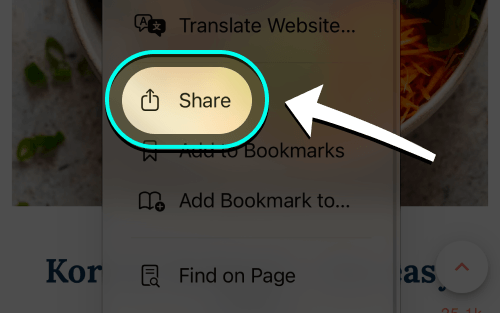
- Tap Share
Choose Share from the menu.
- Choose iRecipes
Tap iRecipes in the share menu.

- Review & save
Check the ingredients, servings and steps, make any edits, then save the recipe.
Good to know: pages that publish structured recipe data import almost perfectly. On pages behind a paywall or with the recipe inside an image or PDF, you may need to screenshot the recipe and import it from Photos. You can always add a recipe by hand from the import screen.
 Instagram
  TikTok
  YouTube
  Facebook
  Pinterest
  WhatsApp
  Safari
  Chrome
 Got feedback?
If a page never imports correctly, send us the link and we will take a look.