Import recipes from Instagram
Importing
Save a recipe from Instagram in a few taps.
-
Open recipe & tap share
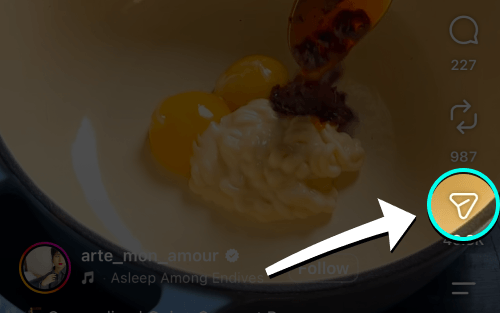
Tap the Share button (✈️) on any Instagram post or Reel.
-
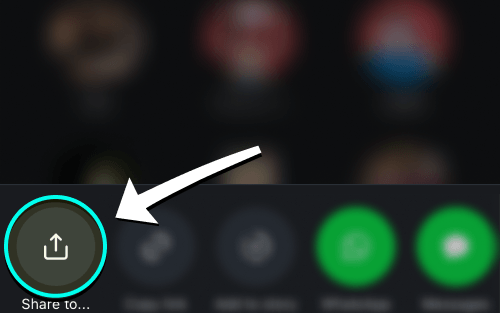
Tap “Share to…”
Choose Share to… to open the iPhone share menu.
-
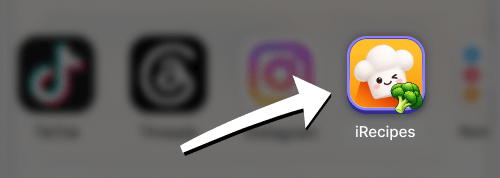
Choose iRecipes
Tap iRecipes in the app row. If it is missing, swipe left and tap More.
-
Review & save
Check the ingredients and steps, make any edits, then save the recipe.
Good to know: the importer reads the post’s written text. If the recipe only exists as spoken narration in a Reel, the result may be incomplete — check the caption or the pinned comment, and edit the recipe after import. Stories are not supported; use the post instead.
 Instagram
  TikTok
  YouTube
  Facebook
  Pinterest
  WhatsApp
  Safari
  Chrome
 Got feedback?
If an Instagram import keeps failing, send us the link and we will take a look.